

Tegas Logo
Promo for app stores, ads and social media

Create a promo video for your app or service with AI

Upload interface screenshots and your logo — Tegas writes the script and builds a video with voiceover, music and subtitles. No studio, actors or editor needed.
Promo video🔇 Tap for sound
Tegas app screenshot
Your screenshots

up to 10

screenshots and a logo in one video

3 formats

9:16, 1:1 and 16:9 — for stores, website and ads

5 languages

of voiceover — promos for different markets
How it works

How to make an app promo video

+

Step 01

Upload screenshots

The key screens of your app or website and your logo. Large screens without tiny text work best.

Tessa

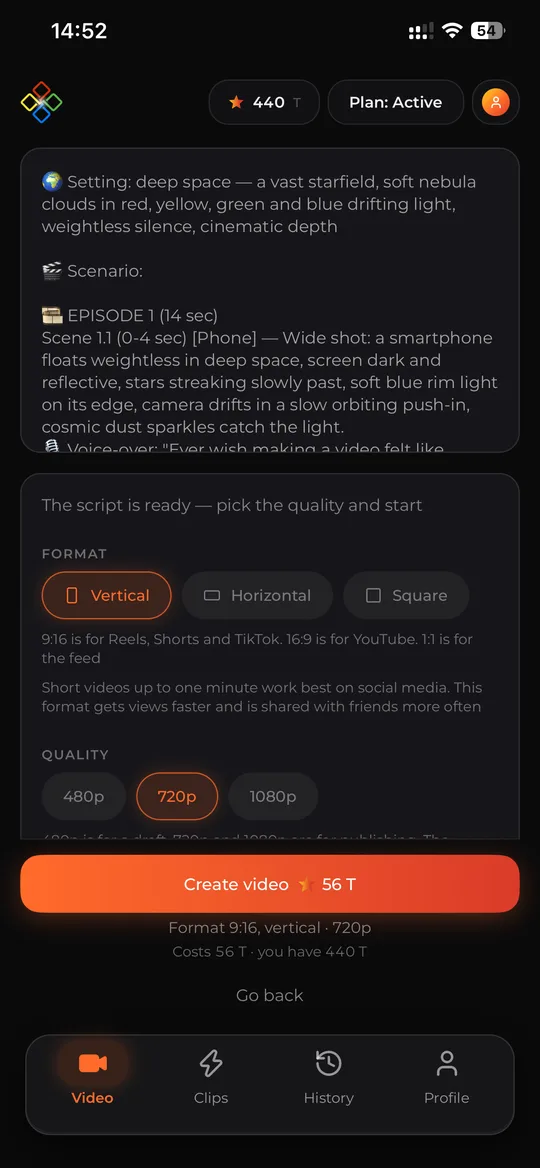
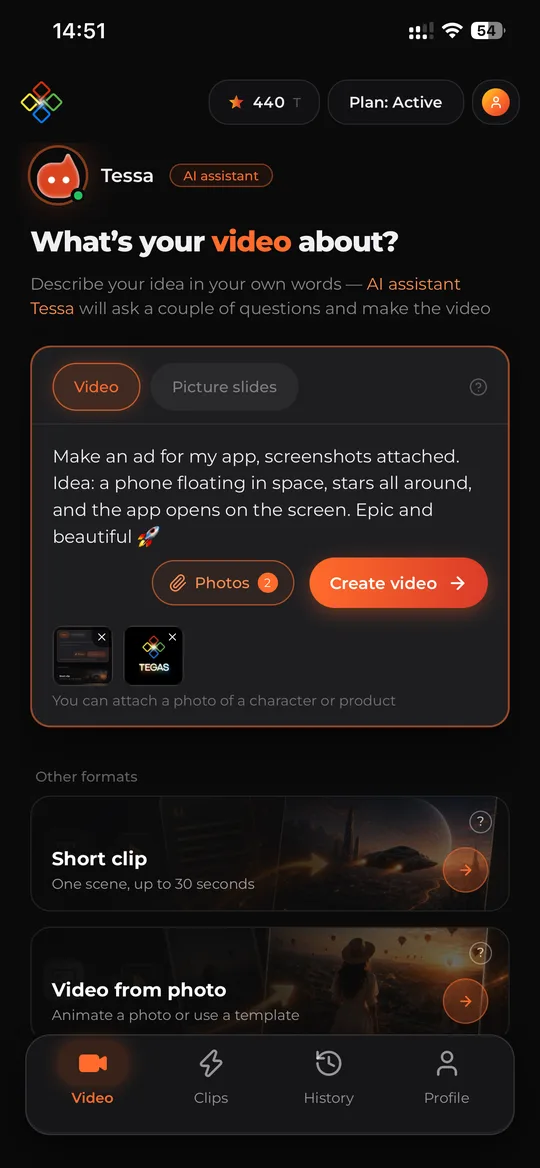
An ad for my app: a phone floating in space, stars all around, the app opens on the screen

Step 02

Describe the video

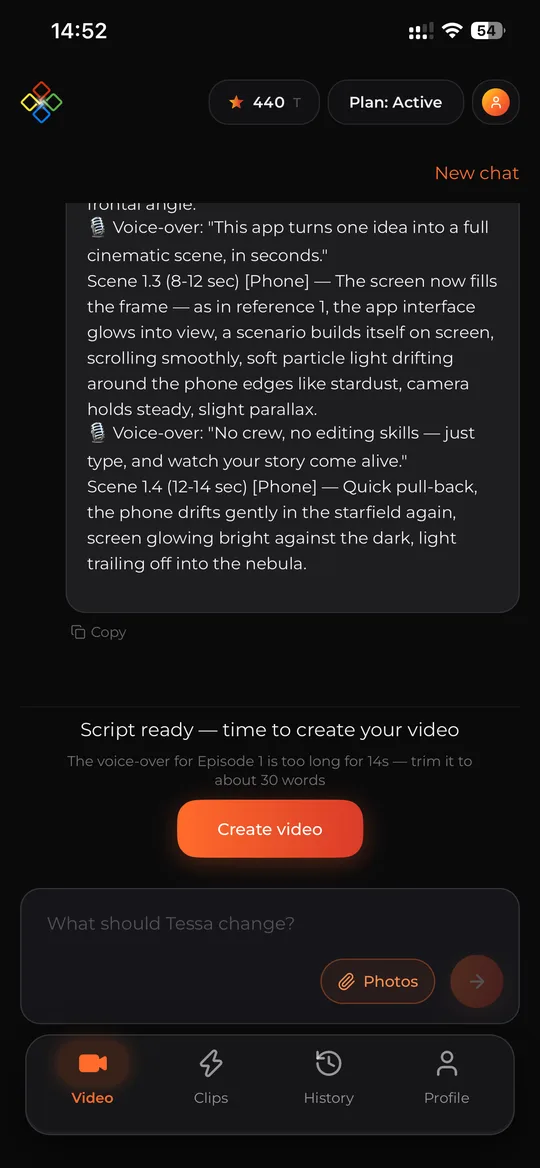
Who the app is for, what problem it solves, what mood you want. Tessa clarifies the details and writes the script.

▶app_promo.mp4
DownloadTranslateEdit

Step 03

Get your promo video

A video with voiceover, music and subtitles. Make a version in another language or replace a scene in the editor.

Who it’s for

Who the promo video generator is for

Mobile apps

App developers

Videos for your App Store and Google Play pages and for install campaigns.

Services and SaaS

Online services and startups

A product demo for your website, investor pitch and launches in new markets.

Marketing

Marketers and agencies

Ad creatives to promote apps: several versions for testing in a day.

Result

What you get

For app stores

  • →A promo of the key features in the right format
  • →Your app’s screens and logo in the frame
  • →A short video people watch to the end
  • →Versions for other countries without a reshoot

For ads

  • →Several creatives for testing
  • →Voiceover and subtitles with a call to install
  • →Music that fits your product
  • →No studio, actors or editor

For launches

  • →A demo video for your website and presentations
  • →A video for a new version or feature
  • →Content for social media and newsletters
  • →Ready in minutes, editable in the editor

Examples

Promo videos made with Tegas

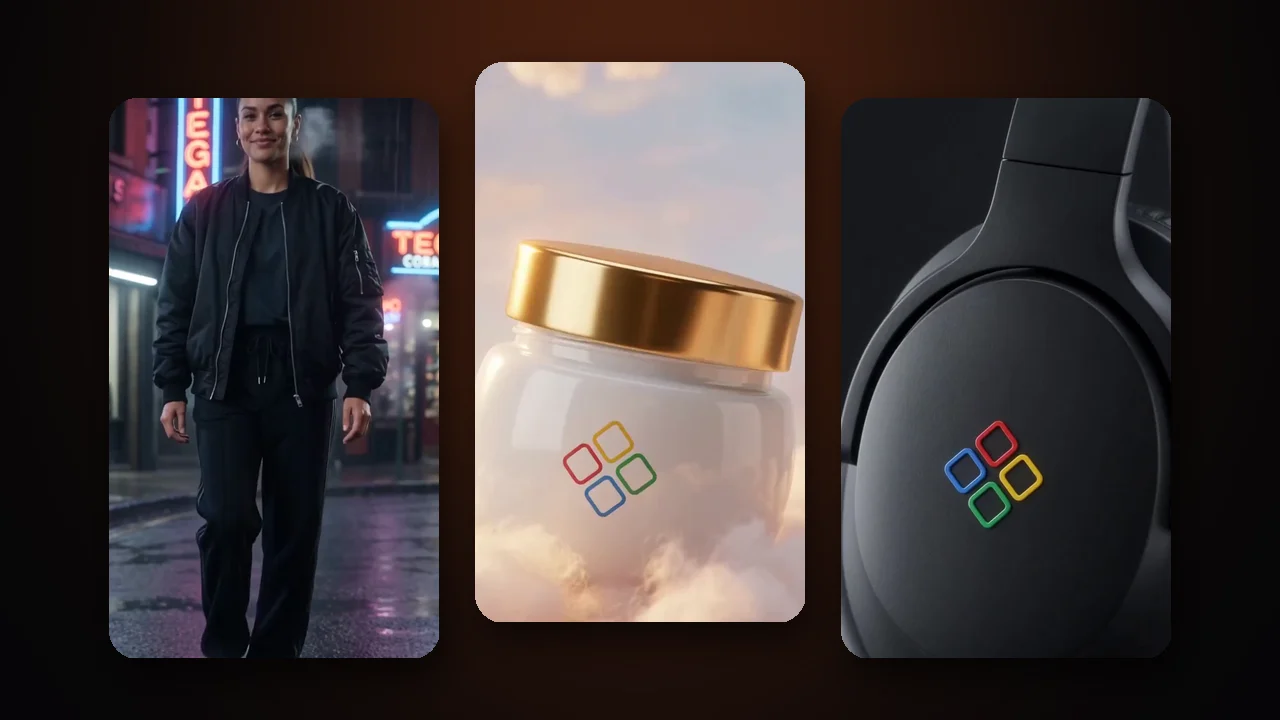
Each video was made in Tegas from a logo, screenshots and a product description.

tap
Type:
brand ad for a hosting provider
Goal:
show scale and reliability: 80 locations in 41 countries
tap
Type:
hero story
Goal:
from a late-night bug to a first job in tech
tap
Type:
app ad with the screen in the frame
Goal:
show how the app saves time
tap
Type:
service ad with humor
Goal:
show that a simple idea turns into a movie
tap
Type:
mobile app promo
Goal:
a video for the Google Play and App Store pages

Comparison

Why app promos are easier with Tegas

All of this is in Tegas

Your app’s screens and logo from your files✓
Script, voiceover, music and subtitles✓
Versions in other languages without a reshoot✓
Edit the finished video✓
Speedminutes
Costplans from $30/mo

PRICING

Tegas Plans

Best start

Active

$30/mo

500 tokens / month

Get started
  • AI video generation from text
  • Generative music and voiceover
  • Auto subtitles
  • All formats: 9:16, 1:1, 16:9

Pro

$80/mo

1,500 tokens / month

Get started

Everything in Active +

  • 250 GB storage
  • 3 voice clones
  • 24/7 support

Business

$230/mo

5,000 tokens / month

Get started

Everything in Pro +

  • 1 TB storage
  • Unlimited voice cloning
  • Personal account manager
  • #1 generation priority

Features

What else the generator can do

Screenshots and logo

Up to 10 images: screens, icon, logo — the model keeps their look in the video.

Script by Tessa

The AI scriptwriter suggests which features to show first and how to end with a call to install.

Any presentation

A phone in someone’s hands, the interface in space, a hero using the app — however you describe it.

Voiceover in 5 languages

English, Spanish, French, German and Russian — promos for different countries from one video.

Music and subtitles

Matched to the mood of your product; subtitles help people watch without sound.

Edits without a reshoot

Updated the interface? Replace a scene, the text or the voice in the finished video.

Use cases

What app videos you can make

  1. 01

    App store preview

    A short video about the app’s key features — vertical or horizontal.

  2. 02

    Install campaigns

    A creative for ad accounts with a call to download the app.

  3. 03

    Service demo for your website

    How the product works — for the home page and landing pages.

  4. 04

    New version announcement

    A video about a new feature or update for social media and newsletters.

  5. 05

    Investor presentation

    A short product video for a pitch or demo day.

  6. 06

    Promos for other countries

    The same video dubbed into Spanish, French, German or Russian.

FAQ

App promo video FAQ

Your logo, a few interface screenshots and a couple of sentences about the product in your own words. You can attach up to 10 images to a video. The AI assistant Tessa writes the script — or uses your own text.

Yes. Tessa sees the screenshots and builds the script around them, and the screens appear in the frame — for example on a phone, a laptop or a billboard. The AI may render tiny interface text inaccurately, so large, clean screens work best.

You can make the video in vertical 9:16, square 1:1 or horizontal 16:9 at the length you need. Before uploading, check the store’s requirements for video length and resolution.

Yes. A finished video can be dubbed into Spanish, French, German or Russian — the footage stays the same, no reshoot or new generation needed.

Plans start at $30/month and include tokens. Usage depends on the length and quality of the video; Tegas shows the exact price before you start.

Videos made on paid plans (Active and above) have no watermark.

Yes. You can replace a scene, adjust the voiceover text, change the voice, music and subtitles — without regenerating the whole video.

Use your own logos, screenshots and materials you have rights to. The AI may reject third-party trademarks.

Show your app in a video

Upload screenshots — your first promo video will be ready in a few minutes.

How to make an app promo video with AI

A promo video helps people understand in a few seconds what your app does and why they should install it. Videos for app store pages, ads and websites are usually made by a production studio: script, shoot, graphics, voiceover and editing take weeks. The Tegas AI generator makes a promo video from your app’s screenshots in minutes.

How Tegas uses your screenshots

In the chat with the assistant Tessa you attach up to 10 images: the app’s key screens, its icon and logo. Tessa describes them and builds the script around the product — which features to show and in what order. The video model uses the images as a reference, so your interface and logo appear in the frame: on a phone screen, in a hero’s hands, in a striking scene.

Which screenshots work best

  • Large screens with one main idea: the model may render tiny text inaccurately.
  • Key screens: onboarding, the main feature, the result.
  • Your app’s logo or icon as a separate image.
  • Only your own interfaces and brands — the models don’t accept third-party logos.

Promos for different countries from one video

A finished video can be dubbed into Spanish, French, German or Russian — without a new shoot or editing. You get versions for your app pages in different countries and for ads in new markets.

What you can change in a finished video

If the interface has changed or you need a different focus, the editor lets you replace a single scene, adjust the voiceover text, choose another voice or music and change the subtitle style. Tegas rebuilds the video for you.

AI App Promo Video Maker — Videos from Screenshots | Tegas AI