

Tegas Logo
Videos for online stores and ads

AI product video generator for your listings

Upload a product photo and describe your idea — Tegas creates a video where your product is recognizable in every scene. Script, voiceover, music and subtitles are done automatically.
Finished video🔇 Tap for sound
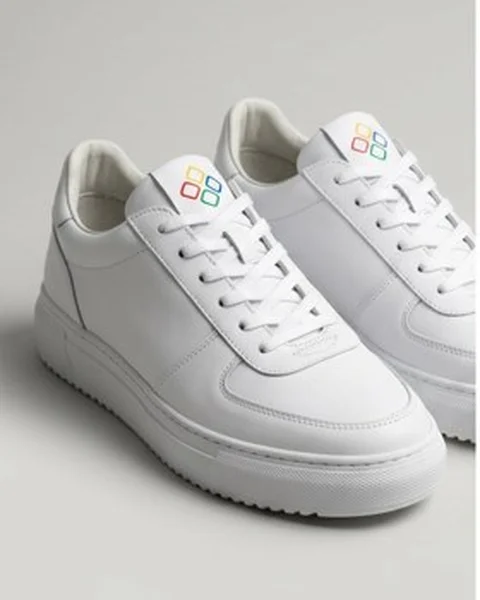
Product photo: white sneakers with a logo
Your photo

up to 10

product photos and details in one video

3 formats

9:16, 1:1 and 16:9 — for listings and social

4-in-1

script, video, voice and music

How it works

How to make a product video from a photo

+

Step 01

Upload product photos

One or several shots: the whole product, details, packaging, logo. Phone photos work fine.

Tessa

White sneakers on a rainy city street at night, neon reflections, confident upbeat music

Step 02

Describe the video

Tell us where and for whom to show the product. Tessa asks a couple of questions and writes the script.

▶product_video.mp4
DownloadEditShare

Step 03

Get the finished video

A video with voiceover, music and subtitles. Download it or change the voice, music and scenes.

Who it’s for

Who the product video generator is for

Marketplaces

Online sellers

A video for every product listing — no photo shoot or editing needed.

E-commerce

Stores and brands

Videos for your website, emails and social media — with your product and logo in the frame.

Advertising

Marketers and agencies

Ad creatives for campaigns and tests: several versions of a video for one product in a day.

Result

What you get

For listings

  • →Your product is recognizable in every scene
  • →Vertical, square or horizontal format
  • →Voiceover and subtitles explain the benefits
  • →A video in minutes, not days

For ads

  • →Several creative versions for testing
  • →Your logo in the frame
  • →Music that fits your brand
  • →No studio and no film crew

For social media

  • →Videos for Reels, Shorts and TikTok
  • →Voiceover in 5 languages
  • →Quick edits to voice, music and scenes
  • →Regular content without shoots

Examples

Product videos made with Tegas

tap
Type:
footwear listing video
Goal:
show the sneakers in motion and up close
tap
Type:
cosmetics listing video
Goal:
convey the light texture of the cream
tap
Type:
electronics listing video
Goal:
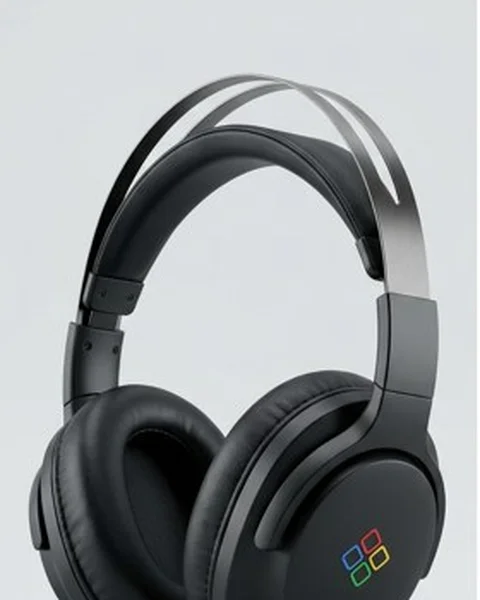
show the details and the silence around

Comparison

Why product videos are easier with Tegas

All of this is in Tegas

Your product from photos in every scene✓
Script, voiceover, music and subtitles✓
Edit the finished video without a reshoot✓
9:16, 1:1 and 16:9 formats✓
Speedminutes
Costplans from $30/mo

PRICING

Tegas Plans

Best start

Active

$30/mo

500 tokens / month

Get started
  • AI video generation from text
  • Generative music and voiceover
  • Auto subtitles
  • All formats: 9:16, 1:1, 16:9

Pro

$80/mo

1,500 tokens / month

Get started

Everything in Active +

  • 250 GB storage
  • 3 voice clones
  • 24/7 support

Business

$230/mo

5,000 tokens / month

Get started

Everything in Pro +

  • 1 TB storage
  • Unlimited voice cloning
  • Personal account manager
  • #1 generation priority

Features

What else the generator can do

Up to 10 product photos

Overall view, details, packaging, logo — the model keeps the product’s look in every scene.

Script by Tessa

The AI scriptwriter plans the story and the text: which benefits to show and in what order.

Any setting

Kitchen, beach, studio background, a customer’s hands — the product appears wherever you describe.

Voiceover in 5 languages

English, Spanish, French, German and Russian — or a clone of your own voice.

Music and subtitles

Matched to the mood of the video, with a choice of subtitle styles.

Edits without a reshoot

Replace a scene, the text, the voice or the music in a finished video in a couple of minutes.

Use cases

What product videos you can make

  1. 01

    Listing video for a marketplace

    A short vertical video: the product from all sides and in use.

  2. 02

    Ad creative

    A video for paid social with a focus on benefits and a call to buy.

  3. 03

    Product in context

    How it looks at home, in the office or outdoors — without a location shoot.

  4. 04

    Launch or sale announcement

    A quick video for a new collection, a sale or a holiday.

  5. 05

    Benefits overview

    The voiceover explains the features, the subtitles repeat the key points.

  6. 06

    Social media content

    Regular videos with your product for Reels and Shorts without production.

FAQ

Frequently asked questions

Yes. Upload a product photo and describe the product or offer — Tegas builds the visuals, voiceover, subtitles and music. Then you can fine-tune the video for your listing.

A general generator covers any video. This page is about products: your photos, product features, listings and catalogs. For other tasks, use the main Tegas video generator on the home page.

Yes, as a listing or promo creative: choose the format you need (often 1:1 or 9:16) and upload the video following the platform’s rules. Check the platform’s requirements for length and size.

One good photo is enough; several angles usually give a more stable result. Without photos the AI builds the visuals from text only — for a product listing, photos are better.

Plans start at $30/month and include tokens. Usage depends on the length and type of video; Tegas shows the exact price before you start. See the pricing section for details.

Not to get started, if you have photos of the product. A shoot helps with strict brand standards or when your source photos are weak.

Use your own products and materials you have rights to. The model may reject third-party trademarks.

Videos made on paid plans (Active and above) have no watermark, so they are ready for listings and ad accounts.

Show your product in a video today

Upload a photo — your first video will be ready in a few minutes.

How to create a product video with AI

A video on a product page helps shoppers quickly understand what the product looks like and why it’s useful. It used to take a shoot: a studio, lighting, a camera operator, an editor and several days of work. The Tegas AI video generator makes a video from a product photo in minutes — with a script, voiceover, music and subtitles.

Why the product looks the same in every scene

The main problem with AI video is that it “reinvents” the product in every frame: the shape, color and labels change. In Tegas you attach up to 10 photos of the product — overall view, details, packaging, logo. The assistant Tessa describes them and writes the script around your product, and the video model uses the photos as a reference to keep the product’s look in every scene.

How to prepare product photos

  • Shoot the product in good light, without strong glare or shadows.
  • Add several angles: front, side and close-ups of details.
  • If the packaging or logo matters, attach them as separate photos.
  • Use only your own products and logos: the models don’t accept third-party brands.

Which product videos work best

Short 10–30 second videos work well: the product in an interior, in a customer’s hands, in use, against a beautiful background. Vertical 9:16 suits marketplaces and social media, square 1:1 or horizontal 16:9 suits websites and ads. Tessa suggests which benefits to show in the first seconds so that people keep watching.

What you can change in a finished video

You don’t need to reshoot if something isn’t right. In the editor you can replace a single scene, adjust the voiceover text, pick another voice or music, change the subtitle style or dub the video into another language — Tegas rebuilds the video for you.

AI Product Video Generator from Photos | Tegas AI